Stars Shape Halftone Background 100-11: A Flexible Vector Asset for Modern Design
Designers and visual communicators often seek backgrounds that add texture and interest without overwhelming the main message. The Stars Shape Halftone Background 100-11 is a pre-built collection of vector patterns that combines familiar star iconography with a halftone shading technique. Instead of spending hours manually creating dotted or gradated star fields, you can drop these assets into a layout and adjust them to fit a brand palette or composition. This kind of resource saves time while offering enough customization to avoid a cookie-cutter look.
What makes this particular package worth examining closely is its balance between ready-to-use simplicity and deep editability. The 100 EPS and 100 SVG files are not merely static JPEGs or locked-down templates. They are fully resizable vector graphics, meaning you can recolor, rescale, and repurpose each star pattern across anything from a small social media badge to a large-format event banner. That technical foundation matters a great deal in cross-channel work.
What the Package Includes and How the Halftone Works
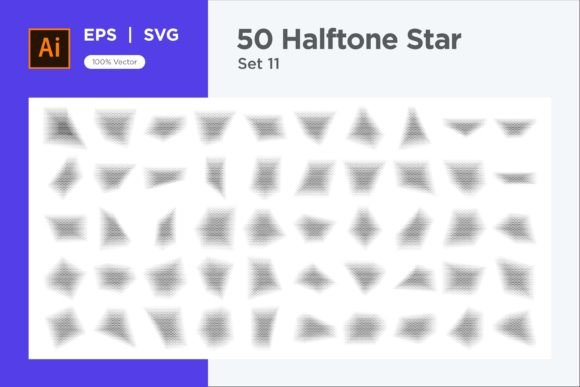
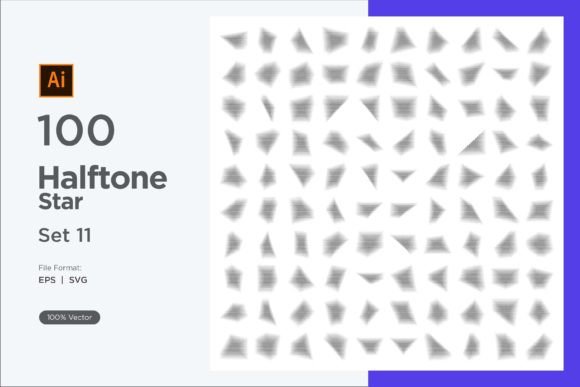
At its core, the Stars Shape Halftone Background 100-11 provides a structured set of repeating star motifs with a halftone overlay. The halftone effect is not a flat fill; it simulates depth by using varying dot sizes, density, or soft gradient transitions within each star. This creates the illusion of three-dimensionality, a tactile quality sometimes missing from purely flat geometric patterns. The stars themselves are arranged in grid-like or scattered formations, giving you a range of rhythmic densities from tight, organized rows to more organic, playful distributions.
Each file is delivered in two key formats:
- EPS – Ideal for older or professional print workflows, fully compatible with Adobe Illustrator, CorelDRAW, and many sign-making tools.
- SVG – A lightweight, web-friendly format that integrates directly into modern design software, Canva, Figma, and on-page HTML.
Because the files are vector-based, you will not encounter pixelation no matter how far you scale them. The 100 variations are distinct enough to provide a library, not full of near-duplicates, which makes the collection useful when you need multiple star-themed backgrounds for a series without obvious repetition.
Practical Strengths for Fast-Paced Creative Workflows
One of the most immediate advantages of using the Stars Shape Halftone Background 100-11 is the time saved in manual halftone creation. Setting up a proper halftone pattern in Illustrator or Photoshop often involves masking, blending steps, and careful contrast adjustments. Here, the heavy technical lifting is already done. You open a file, select the vector objects, and apply your own color palette.
This editability is a real strength. Changing colors is as simple as selecting a grouping and applying a new fill or stroke. Because the stars are not rasterized, you can isolate individual elements—enlarge a few stars, reduce the opacity of others, or blend them with gradient overlays. The halftone effect remains intact during these edits because it is built from small dots or gradient meshes, not baked-in pixels.
For recurring projects such as monthly newsletters, YouTube thumbnails, product packaging variants, or event collateral, having 100 starting points reduces repetitive labor. You can tilt, crop, or combine backgrounds to create a fresh look each time. The collection also functions as a library of customizable elements: you can extract just one star and its halftone dots to use as an icon, badge, or UI ornament.
Real-World Applications and Visual Versatility
The star halftone style sits at an interesting crossroads of themes. It can read as cosmic or dreamy, making it suitable for children’s book illustrations, sleep aid app designs, or astronomy-related branding. With the right color choices, the same pattern can shift into a retro comic-book territory, evoking 8-bit game textures or pop-art posters. This versatility means a single asset set can serve clients in different industries without looking stylistically out of place.
Consider these practical scenarios:
- A music festival promo uses the star halftone background overlaid with bright magenta and electric blue, creating a tribute to vintage concert posters.
- An educational publisher applies the pattern at low opacity behind science textbook chapter titles, adding a subtle celebratory feel without distracting from the text.
- A small business owner selling handmade crafts uses the SVG files in Canva to design packaging inserts, customizing star colors to match seasonal variants.
- A web designer imports the SVG directly into a hero section, animating the star opacity on scroll for a subtle parallax-like effect.
The common thread is that the Stars Shape Halftone Background 100-11 serves as a flexible foundation, not a finished product. Its value appears when you adapt it to a specific visual language. That adaptation is easy because the vector structure cooperates rather than resists.
Quality, Consistency, and File Reliability
When working with large asset bundles, the gap between what a preview shows and what the files actually deliver can be frustrating. This package maintains a consistent quality across all 100 items. The star shapes are cleanly drawn, without jagged anchor points or unnecessary complexity that bloats file size. The halftone dots are mathematically precise, not hand-traced approximations, which means the gradients of dot density transition smoothly.
In professional settings, reliability matters. The EPS files open correctly across the major vector editing applications I tested. SVG files retain correct layering and grouping when brought into Figma or embedded inline in HTML. No unexpected clipping masks or missing fonts complicate the process. This kind of technical consistency reduces the troubleshooting time that often accompanies third-party assets.
One detail worth noting: the halftone effect is created with vector dots, not with raster effects. That is a significant advantage because you avoid resolution limitations and can output truly scalable results for large-format printing. The files are fully resizable, and you can even tweak the dot size manually by selecting and scaling the dot clusters if you need a subtly custom look.
Who Benefits Most from This Resource
The Stars Shape Halftone Background 100-11 aligns particularly well with certain user profiles:
- Freelance graphic designers juggling multiple brand identities who need quick, adaptable background elements that can shift from client to client.
- Small business owners and marketers who create their own social media graphics and want professional-looking texture without learning complex halftone techniques.
- Bloggers and content publishers seeking to unify post headers, featured images, or printable downloads with a recognizable yet customizable pattern.
- Educators and e-learning developers building engaging slide decks, worksheets, or digital badges where a star theme reinforces positive messaging.
- Product designers and crafters using laser-cutting, vinyl decals, or sublimation printing who benefit from clean vector lines and easy color separation.
Conversely, if your work consistently requires photorealistic textures or highly detailed astrophotography backgrounds, this vector halftone set may feel too graphic and stylized. It occupies a clear illustrative niche, and understanding that prevents mismatched expectations.
Potential Limitations and How to Work Around Them
No design asset is a universal solution. The star halftone aesthetic, while charming, can become repetitive if used without variation across an entire branding system. Since all 100 backgrounds share a visual DNA, you may want to intermix them with other patterns or solid color fields to maintain visual breathing room. The collection is also predominantly light-on-dark or dark-on-light in its default state, though recoloring solves most of that.
Another consideration: the halftone style, by nature, creates a dotted texture that can interfere with small text legibility if placed directly under body copy. Use it as a section backdrop, a frame, or a banner background rather than a full-page text overlay unless you add a semi-transparent panel between the text and the pattern. This is standard best practice for any textured background, not a flaw, but it is worth noting for beginners.
File size for certain SVGs may be a bit heavy if you embed all 100 inline on a single webpage. Select only the needed variants, or optimize SVGs with a tool like SVGO before production use. The EPS files, while versatile, may require flattening transparency in older RIP software for print, so test one file with your printer if in doubt.
Recommendations for Integration and Extended Value
To get the most from the Stars Shape Halftone Background 100-11, treat it as a modular system rather than a set of static backdrops. Duplicate a few files and experiment with blending modes (like multiply or overlay) when layering them over photographs. Use the halftone dots alone, with the star outlines hidden, to create a pointillism-style texture that is less obviously star-shaped. Combine two different star densities, one in a light tint and one in a bold color, to form complex visual depth.
For long-term value, the vector format means these assets won't become obsolete as screen resolutions and print requirements evolve. You can recolour them to match any trend palette, from muted earth tones to neon cyberpunk hues. When a project demands a quick-turnaround badge or icon, extracting a single star from the halftone grouping can provide a cohesive offshoot without purchasing additional icon sets.
In a landscape where many background packs offer only JPG files or limited customization, a fully editable library like this one holds its relevance. It also pairs well with other geometric or organic halftone packs, allowing designers to mix star motifs with circles, waves, or abstract shapes while keeping the texturing method consistent.
Is This the Right Fit for Your Toolkit?
Deciding whether to add the Stars Shape Halftone Background 100-11 to your asset library comes down to how often you reach for star-themed graphical elements and how comfortable you are with vector editing. If you frequently design for children’s brands, celebratory events, retro-themed projects, or inspirational content, the collection covers a lot of ground with minimal set-up time. The dual format delivery and the clearly outlined editability make it a pragmatic choice for both seasoned professionals and those building their first independent design toolkit.
What sets this resource apart is the craftsmanship of the halftone itself—the dots are not an afterthought or a generic filter, but an integral part of each star’s form. That design decision yields a sense of handcrafted texture, even though it comes from a digital file. When placed into a layout with careful color selection and appropriate opacity, the patterns feel intentional rather than decorative filler.
By approaching this pack as a starting point rather than an endpoint, you gain not just 100 backgrounds but hundreds of potential derivations. The ability to tailor every aspect in a familiar vector environment ensures that your final work doesn’t scream “stock asset.” For those who value efficiency without sacrificing creative control, this is a solid, well-organized investment that can quietly support a wide range of visual projects for years.