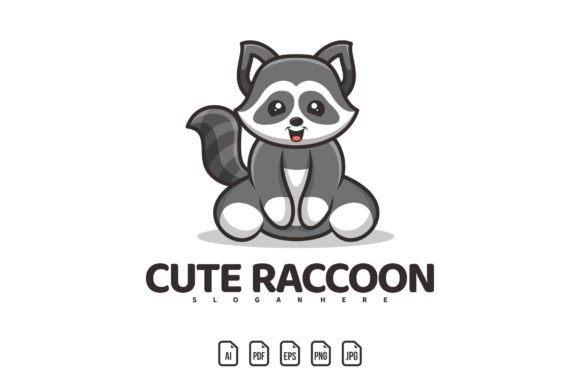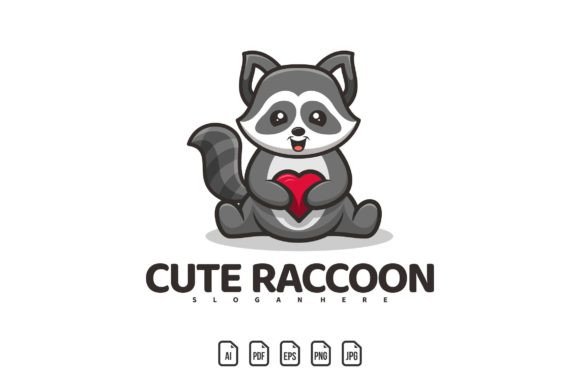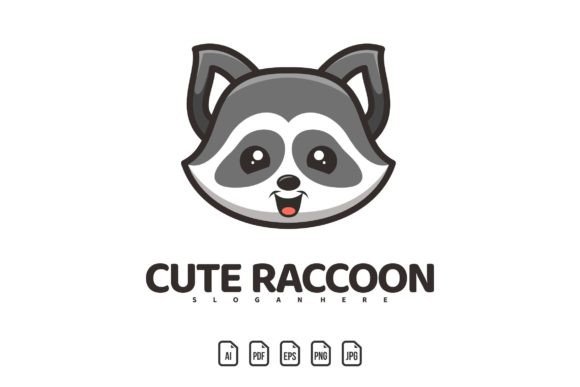
Head Cute Raccoon Mascot Logo: A Versatile Design Asset
When you first open the Head Cute Raccoon Mascot Logo template, what stands out is its immediate charm and the surprising depth of its adaptability. It is not simply a single image but a fully editable vector construction that can be pulled apart, recolored, reshaped, and renamed. For someone who has never used vector software, that might sound intimidating, but the reality is practical: you receive a set of files that work across the most common design tools, along with clear guidance on how to adjust every element. For a seasoned designer, it becomes a time-saving building block that can be dropped into a larger brand system or client presentation in minutes.
The template ships with AI, PDF, EPS, PNG, and JPG formats. That combination matters more than it first appears. The vector files—AI, PDF, and EPS—preserve infinite scalability, so the raccoon mascot stays crisp whether it is printed on a small apparel tag or stretched across a stadium banner. The raster files—PNG and JPG—let you preview the logo instantly or drop it into a document without opening a full design suite. This dual-format approach means you can move from a quick email mockup to a final production file without hunting down a missing format.
One detail often overlooked until the last moment is typography. The template provides a download link to a free font used in the original design. That means if you want to change the text to your own team name, game title, or brand wordmark, you can install that font, open the file, and type in new copy. The style stays cohesive. If you prefer a different typeface entirely, you are not locked in; the text layers are separate and fully editable, so you can choose any system font or commercial typeface you already own. This kind of thinking turns what could be a static piece of clip art into a living design component.
Who Finds Value in a Raccoon Mascot Logo?
Different people look at the same raccoon mascot and see very different possibilities. A small business owner might picture the face on a line of organic snack packaging, using the animal’s playful expression to signal friendliness. A volunteer running an intramural sports league could imagine it on jerseys, where visibility and team identity are everything. A solo game developer might see a potential character icon that can be recolored to match a sci-fi palette or a medieval tavern sign, simply by changing the fill colors and adding a few extra shapes.
For marketers and content creators, a mascot logo often represents the bridge between a brand name and an emotional connection. The raccoon’s wide-eyed, engaging gaze can make a channel avatar feel approachable or give a newsletter header a touch of personality without being overly corporate. Educators running school clubs or youth programs may use the mascot to rally group identity around a common symbol, printing it on badges, certificates, and social media pages. Because the file is vector, they can extract just the head for a circular sticker one day and use the full lockup on a flyer the next, all without losing detail.
Freelance designers and publishers assess such a template through a lens of efficiency and client flexibility. A predictable challenge in client work is the request for multiple formats and color variations at the last minute. Having a file where colors can be changed globally, text swapped, and exports generated in seconds reduces friction. Instead of redrawing the head for a reversed-out version on a dark background, the designer simply adjusts the vector fills and saves a new PNG. The raccoon becomes a base component that adapts to a visual identity rather than forcing the identity to bend around a rigid graphic.
What Matters Most: Quality, Flexibility, and Ease of Editing
When people evaluate a mascot logo template, they rarely look for just a pretty picture. The decision usually balances several practical factors. Quality is the starting point. The Head Cute Raccoon Mascot Logo is designed with clean lines and well-placed anchor points, which means curves remain smooth at any scale. This is important not only for print but also for digital use where a jagged edge on a hero image can undermine trust in a brand.
Flexibility is the next layer. Because everything is editable, the same file can produce a monochrome badge, a vibrant gaming avatar, or an embroidered patch mockup. Colors can be adjusted to match an existing palette using standard swatch panels, and the text can be completely removed or replaced. This prevents the awkward situation where a logo looks good online but clashes with physical merchandise because the orange in the raccoon’s fur doesn’t match the blue of the team uniform. With full color control, you can create a version exactly right for each context.
Ease of editing is what often determines whether a template gets used at all. If someone has to spend an hour hunting for ungrouped elements or reverse-engineering clipping masks, the asset fails its main purpose. This template is structured with clear layers and logical grouping. Even if you are relatively new to Illustrator or Affinity Designer, you can select the raccoon’s face, swap the fill color, and immediately see the result. For those who only need a quick PNG, the included raster files mean you can just download, insert, and go. That sliding scale of engagement—from drag-and-drop convenience to deep customization—makes the template accessible to a wide range of skill levels.
Practical Examples Across Different Projects
Imagine a streamer who wants a gaming channel mascot. They start by opening the AI file, recoloring the raccoon to match their brand’s neon green and purple, then saving an eye-catching PNG for their overlay. The same vector can later be used for merchandise like hoodies or stickers because the edges remain crisp when the file is sent to a print shop. Next, think of a youth sports coach preparing for a tournament. They download the free font, type in the team name, adjust the raccoon’s headband color to match the jerseys, and export a high-resolution PDF that the printer accepts without questions. The entire process takes less than twenty minutes and does not require a design background.
A blogger creating a kid-friendly cooking site might place the raccoon mascot next to a recipe card, softening the page layout and giving the brand a memorable character. Since the template includes a PNG, they can simply insert the image into their website builder without converting any files. Meanwhile, an educator running an after-school coding club could use the editable EPS to generate certificates with the raccoon holding a “Coding Champion” banner, replacing the default text with custom award titles. Each of these uses draws from the same source file but tailors the output to a specific audience and medium.
Small apparel businesses often encounter a hidden challenge: a logo that looks great on a white t-shirt but disappears on a dark hoodie. Because the raccoon mascot is built with distinct shapes and a clear silhouette, it can be quickly isolated. Changing the fill to white or a bright contrast color for dark fabric is a matter of selecting the right layer and choosing a new color. You can even save multiple colorway files as separate AI documents, creating a mini brand kit from a single template purchase.
How Beginners and Experienced Users Navigate the Same Template
A beginner might open the AI file, feel a flash of uncertainty, and then realize that clicking on an element and choosing a new color from the swatches panel is all they need to do to get started. The included help file and font link reduce the early friction. This person’s priority is usually low complexity and quick results. They may never touch the pen tool; instead, they will use the template exactly as intended, personalizing the name and perhaps swapping one accent color.
An experienced designer, on the other hand, might immediately break the raccoon apart. They could use just the eyes in a wordmark, turn the head into a silhouette for a secondary icon, or use the facial features as part of a pattern. For them, a well-organized vector file means they don’t waste time cleaning up someone else’s messy paths. They can focus on creative problem-solving rather than file repair. Both users find value, but the path to that value looks different, and a quality template serves them equally well.
Understanding the File Package and Font Information
When you download the template, you receive five file types: AI (Adobe Illustrator), PDF, EPS, PNG, and JPG. The first three are vector formats, meaning they can be enlarged infinitely without quality loss. The last two are raster formats for immediate use. The font information is provided in a help document that explains which free font was used and where to download it. Once you install that font on your computer, opening the AI or EPS file will display the editable text correctly. You can then change the text to any name, slogan, or word you need. If you prefer not to download the font, you can still replace the text with any other typeface; the layer remains fully editable regardless of the font you have active.
This file package is intentionally broad because different workflows demand different formats. A web designer might only ever touch the PNG. A labeling company might request the EPS. A client presentation might rely on the PDF for on-screen review. Having all of them from the start removes the bottleneck of having to request a specific format later.
Making the Decision: Is This the Right Mascot Asset for You?
Choosing a mascot logo often comes down to a balance of character, editability, and output flexibility. If your project benefits from a friendly, recognizable face that can shift from playful to sporty with a change of color, the raccoon design fits a wide creative range. If your current skill level or software access is limited, the editable yet straightforward nature of the vector file keeps things manageable. If your timeline is tight, the included raster files and pre-structured layers mean you can deliver a finished asset in a fraction of the time it would take to commission a custom illustration.
However, the most telling test is to imagine your final use case. Picture the raccoon on the exact garment, screen, sign, or packaging you plan to produce. Consider whether you need to change the text regularly—such as for different team rosters or event dates—and whether the risk of font mismatches would slow you down. With the free font link and editable text, that risk is minimized. Consider the future: if your brand evolves and the raccoon’s palette needs to shift, the vector files make that a non-destructive task.
In a design landscape filled with rigid templates, an asset that prioritizes layer organization, multiple export formats, and clear font guidance stands out for its practicality. The Head Cute Raccoon Mascot Logo does not try to do everything, but it covers the core needs of a diverse user base, from the cautious beginner to the efficiency-focused professional. Whether you are launching a gaming stream, rebranding a sports club, or just adding a touch of character to a personal project, the template offers a solid foundation that you can reshape into your own visual signature, without ever losing the charming essence of that curious raccoon face.