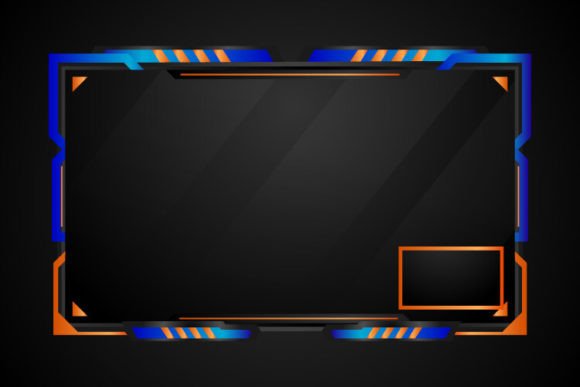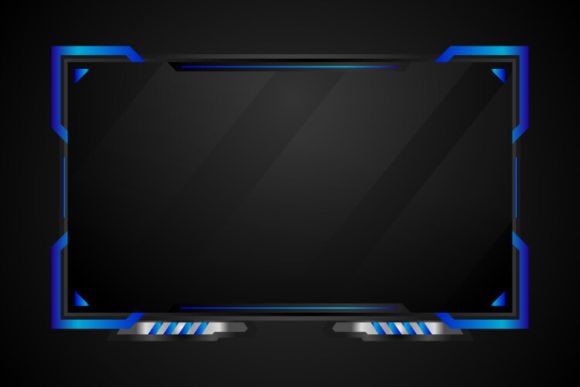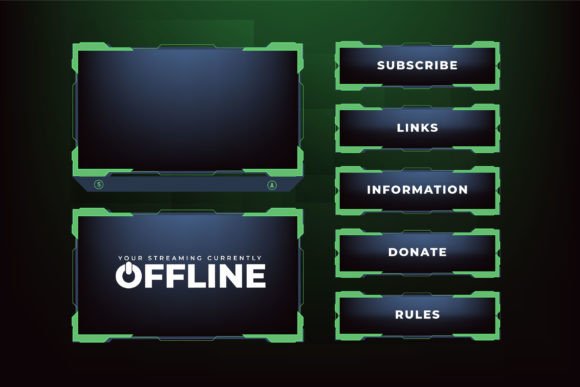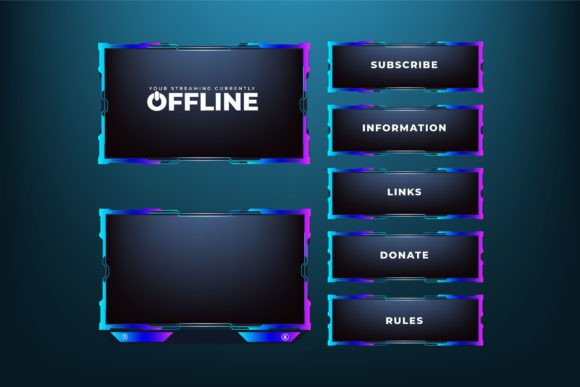
Futuristic Overlay Screen Panel Vector: Purple & Blue Gaming Frames
Modern gaming broadcasts thrive on visual clarity and immersive design. A screen overlay panel does more than frame a webcam or chat box – it sets the mood, guides the viewer's eye, and reinforces a brand. The Futuristic overlay screen panel vector brings together intense purple and blue tones on a dark background, creating a high-tech frame that feels both dynamic and professional. Whether you host live streams on Twitch, record gameplay for YouTube, or design custom interfaces for clients, this type of resource can save hours of layout work while delivering a polished, consistent look.
Below we explore how this particular overlay fits into different projects, what makes its design stand out, and why having the original vector file matters when you need to adapt it later. We'll also walk through the practical side of downloading, unzipping, and editing the files—straight from Ifti Stock Graphic Store.
What This Overlay Screen Panel Brings to a Setup
At its core, the overlay is a digital frame designed to sit on top of your game feed. It uses geometric cuts, angled panels, and smooth gradients in purple and blue. The dark background ensures that bright gameplay footage pops through the transparent or semi-transparent areas. The result is a futuristic interface that suggests speed, technology, and sci-fi energy—without overwhelming the actual game visuals.
For a beginner streamer, this means less time trying to cobble together assets from different sources. For an experienced broadcast professional, it offers a customizable base that can be recolored, reshaped, or integrated into a larger package. The vector format ensures that no matter how large the output—be it a 1080p stream or a 4K production—the edges stay crisp and clean.
Why Color Choice Matters for Your Brand
Purple and blue carry strong associations in gaming and tech circles. Purple often hints at creativity, mystery, or a futuristic edge, while blue suggests trust, depth, and calm control. Together on a dark background, they create a striking contrast that draws attention to your face cam, recent subscriber alerts, or chat overlay. Color psychology aside, many streamers choose this palette to stand apart from the more common red-and-black designs. If you run a cyberpunk, space-themed, or high-energy gaming channel, the combination can help viewers instantly recognize your brand.
Who Uses Overlays Like This—and Why
The audience for a Futuristic overlay screen panel vector stretches beyond full-time streamers. Different groups bring different expectations to the same file:
- Live streamers and content creators often prioritize speed of setup and consistency. They want to download, extract, and drop the JPG into OBS or Streamlabs right away, without editing. The included JPG makes that possible.
- Graphic designers and freelancers value the vector file for its editability. They might change the purple to match a client's brand color, remove an element, or combine multiple panels into a complete scene pack.
- Small business owners who run gaming cafés, esports teams, or tech review channels might use the overlay in promotional videos or highlight reels, blending entertainment with a semi-professional corporate look.
- Educators and tutorial makers sometimes incorporate gaming-themed overlays into coding workshops, game development demos, or creative software lessons to keep the screen visually engaging.
- Hobbyists and casual gamers just enjoy customizing their personal streams for friends. They might not know vector software, but the ready-to-use JPG gives them a quick upgrade.
For Beginners: Jumping In Without Graphic Skills
If you have never edited a vector file, the process can sound intimidating. The good news is that the package from Ifti Stock Graphic Store includes both vector and JPG formats. Open the JPG in any image viewer, add it as an image source in your streaming software, and position your webcam inside the frame. You can resize it by dragging corners, though the JPG may lose quality if stretched too much. For most 1920x1080 canvases, the provided dimensions should fit comfortably.
Should you want to learn, the vector file becomes a gentle introduction to Adobe Illustrator or free alternatives like Inkscape. You can select individual shapes, play with gradients, and see how a professional overlay is constructed layer by layer.
For Seasoned Professionals: Customization and Reliability
Veteran designers look at an overlay not as a finished product but as a launchpad. Because the vector uses clean paths and organized layers (once unpacked), you can quickly isolate the frame, duplicate it, create variations for multiple scenes, or export an ultra-high-resolution version for print merchandise. The purple and blue tones can be shifted to other color schemes with a few clicks. Reliability here means the file opens without errors in standard vector software, saving time during a paid project.
Understanding the File Format and Delivery
When you get the Futuristic overlay screen panel vector, it comes as a single ZIP file. Inside, you will find the editable vector (often an AI, EPS, or SVG file) and a high-quality JPG preview or ready-to-use version. Extracting is straightforward: right-click the ZIP and choose “Extract All” (Windows) or double-click (Mac). You can also use tools like WinRAR or 7-Zip. The ZIP compression keeps the download small, even though the vector data itself can scale infinitely.
The files are stored this way to prevent corruption during transfer and to bundle different formats together. Once extracted, keep both files in an easy-to-find folder. The JPG can go straight into your streaming software. The vector file stays on hand for future edits.
How the Dark Background Changes Layout Flow
A dark background does more than make colors pop; it allows the overlay to blend seamlessly with different games. Whether you’re playing a bright fantasy title or a moody horror game, the frame’s dark negative space creates a natural boundary that feels part of the interface rather than a sticker slapped on top. Streamers who switch games frequently appreciate an overlay that doesn’t clash. The purple and blue gradients also add subtle motion cues, making static screens feel alive.
Practical Examples for Every Project
Twitch beginner on a laptop: After downloading this overlay, you extract the JPG, add it to your scene, and position your face cam inside the frame. You pair it with a matching alert box for a cohesive start. No design experience needed.
YouTube tutorial creator: You’re explaining how to mod a game. The overlay holds your webcam in one corner while leaving the rest of the screen for demonstration. Later, you open the vector file to remove the inner panel and create a custom border for your bullet points.
Freelance designer: A client wants a cyberpunk-themed stream kit. You purchase the overlay, adjust the purple to their brand teal, duplicate the frame for a “Starting Soon” scene, and export everything in minutes. Your turnaround impresses the client.
E-sports team manager: The team’s weekly round-up show needs a consistent look. You overlay this panel throughout the broadcast, using the vector to generate large format assets for social media banners without losing quality.
What to Consider Before You Use This Overlay
Deciding whether a vector overlay fits your workflow comes down to a few questions: Do you need a futuristic, high-contrast look? Can you work with purple and blue rather than starting from scratch? Are you comfortable extracting ZIP files and importing them into your software? If you answer yes, this type of resource removes friction. If your brand demands a completely unique custom illustration, you might still use this overlay as a placeholder or inspiration.
The package assumes you have, or are willing to get, a vector editing app if you want to modify it. The note from Ifti Stock Graphic Store says, “You should be able to modify our Design with a vector editing application like Adobe Illustrator. If you have any problem editing the files, don’t hesitate to contact me.” That human support can matter when you hit a technical snag.
Maintaining Quality Across Different Platforms
Because the vector retains sharpness at any size, the same overlay works on a 4K stream, an Instagram story, a YouTube thumbnail border, or even a printed banner at a gaming event. The dark background and glowing purple edges remain crisp. This scalability is a key reason creators invest in vectors instead of relying solely on raster graphics that pixelate when enlarged.
How Ifti Stock Graphic Store Delivers the Product
Welcome to Ifti Stock Graphic Store. Here you can find amazing graphic design digital files for yourself, friends, family, or anyone who supports your special days and occasions. This particular futuristic overlay screen panel vector is one of many digital design assets created for easy use. You will receive this design in vector and JPG format. The files are compressed into one ZIP file. You must extract them using WinZip, WinRAR, or simply double-click and extract them. The process is simple and takes only a moment. After extraction, you can open the vector in Adobe Illustrator or similar software to make changes, or place the JPG directly into your stream layout.
The instructions emphasize that if you have any problem editing the files, you can reach out to the store for assistance. That safety net is especially useful for those who are encountering vector files for the first time or who need help with file compatibility.
Bringing It All Together in Your Broadcast
A screen overlay panel is a small part of a larger broadcast, but it carries an outsized influence on viewer perception. A clean, futuristic frame invites the audience to focus on the content—your face, your gameplay, your commentary—while feeling immersed in a cohesive digital environment. The purple and blue palette on a dark background aligns with contemporary gaming aesthetics, and the vector foundation makes the design future-proof.
Whether you are a part-time hobbyist streaming for fun or a professional content creator who needs reliable, editable assets, the Futuristic overlay screen panel vector can shorten your design timeline and add a layer of visual polish. Because the file arrives in a standard ZIP with clear instructions and direct support, even people who aren’t designers can achieve a professional result. And for those who are designers, the vector offers the flexibility to reimagine the frame entirely.