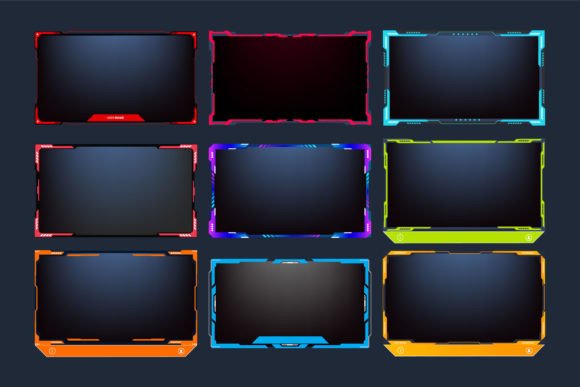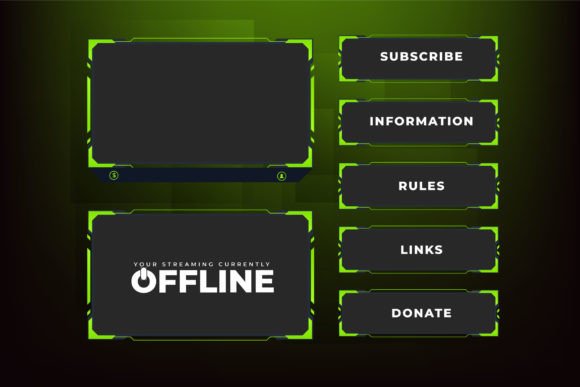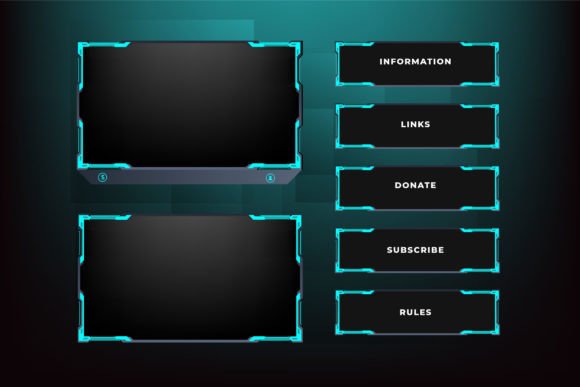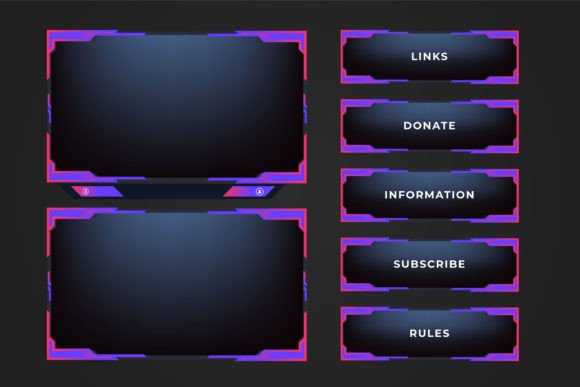
Broadcast Screen Panel Template Vector: A Modern Creator’s Toolkit for Seamless Streaming Overlays
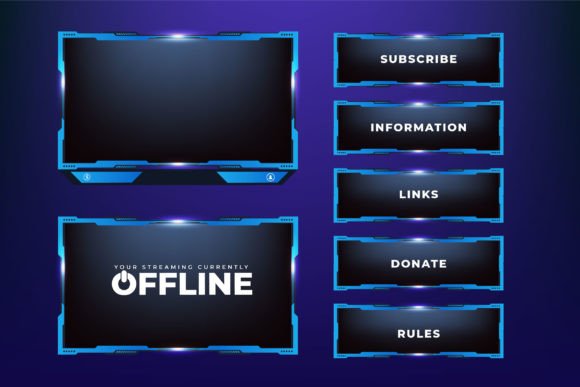
Live streaming has moved from a niche hobby to a central pillar of creative work, education, and brand building. At the heart of every polished stream lies a well-designed overlay structure that keeps the viewer engaged without overshadowing the content. A broadcast screen panel template vector is one of the most practical resources a streamer, marketer, or educator can add to their digital toolbox. Unlike static graphics or raster images, these templates offer fully editable, resolution-independent frameworks that adapt to multiple platforms and use cases. When you combine that adaptability with a modern gaming aesthetic, clean panel divisions, and intuitive button placements, you get a visual experience that feels both professional and effortless.
This article explores what makes a broadcast screen panel template so relevant today, how futuristic gaming frame border designs and simple overlay elements meet audience expectations, and why the ready‑to‑use digital files from creators like the Iftikhar Alam Graphic Store are changing the way streamers approach their on‑screen brand identity. Along the way, we’ll look at the practical side of editing vector files, extracting compressed folders, and turning a template into something that looks completely personal.
The Changing Face of Live Streaming Overlays
A few years ago, many content creators pieced together overlays using mismatched images, heavy Photoshop files, or free screenshots that didn’t scale well. The results often looked cluttered and amateurish. Today, audiences expect a cohesive visual language that mirrors the quality of professional media. A broadcast screen panel template vector answers that expectation by providing a structured, modular design system that can be fine‑tuned to any brand. This shift reflects a broader trend: streaming is no longer just about gameplay; it includes webinars, online classes, product launches, and hybrid corporate events. All these formats benefit from unified panel layouts that make information easy to absorb.
Another key driver is the rise of multistreaming and platform‑agnostic content. A streamer might go live on Twitch, YouTube, and Facebook simultaneously, or repurpose a broadcast recording for a different audience. Vector‑based overlay templates ensure that panel elements look sharp on every screen size, from a 24‑inch monitor to a 4K TV. Because the design is not locked into a single resolution, the creator can resize, reposition, or even restructure the panel layout without losing quality.
Why Vector Files Are the Preferred Format for Broadcast Panel Templates
When you download a broadcast screen panel template vector, you’re not just getting a picture; you’re getting a collection of fully editable paths, shapes, and text elements. Vector files, typically in AI, EPS, or SVG format, store graphic information as mathematical curves rather than a fixed grid of pixels. This means you can scale the futuristic gaming frame border design to any dimension without encountering jagged edges or blur. For streamers who need to output at 1080p, 1440p, or even ultrawide resolutions, that scalability is a game‑changer.
In practical terms, a vector template lets you change colors, adjust stroke weights, swap out icons, and rearrange button placements with a few clicks. You aren’t tied to the original aesthetic. If your brand palette shifts from neon purple to warm orange, you can update every panel element quickly. The flexibility directly supports iterative design, where a creator tests different looks over time without starting from scratch. Many overlay designers now prioritize clean vector structures over heavily rasterized compositions, giving the user far more creative control.
Futuristic Gaming Frame Border Design: Merging Function and Aesthetic
The phrase “futuristic gaming frame border design” describes a visual language characterized by sleek contours, angular cutouts, glowing edges, and high‑contrast accents. This style has become synonymous with tech‑focused content, esports, and cyberpunk‑inspired branding. But beneath the aesthetic appeal lies a functional benefit: well‑designed borders naturally guide the viewer’s eye toward the most important screen elements, such as the webcam, chat box, or alert area. A frame isn’t just decoration—it establishes a visual hierarchy that tells the audience where to look first.
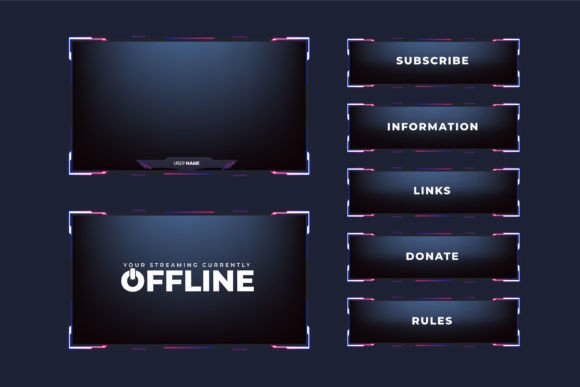
When a template combines such a border with online and offline screens, the design works even harder. An online screen might feature a dynamic border that frames the live gameplay or camera feed, while an offline screen could use a simplified version of that same border to announce “Be Right Back” or “Stream Starting Soon.” The consistency between the two states reinforces brand recognition and keeps the viewing experience fluid. The futuristic theme also aligns well with gaming communities where advanced, energetic visuals resonate emotionally with the target demographic.
Online and Offline Screens: Keeping Your Brand Alive at Every Moment
One of the most practical aspects of a broadcast screen panel template vector is the inclusion of both online and offline screen layouts. A live stream isn’t always live. During technical breaks, intermissions, or countdowns, the screen might show offline content. Without an intentional design, that empty state can break immersion or, worse, drive viewers away. A cohesive offline panel keeps the visual theme intact, placing your logo, social handles, or a countdown timer inside the same futuristic frame border that viewers will see once you’re back online.
For businesses using streaming for webinars, the online/offline distinction also helps in setting the right tone. An offline waiting screen can display key housekeeping information, a thank‑you message to attendees, or a slide with today’s agenda. Because the layout comes from the same vector family, the transition from off to on is seamless. This attention to detail, while subtle, builds a sense of reliability and professionalism that audiences appreciate—and that algorithms tend to reward with better retention metrics.
Simple Shapes and Buttons: The Core of User-Friendly Overlay Layouts
Modern overlay design has moved away from overly complicated, cluttered interfaces. The most effective panels rely on simple shapes and clearly defined button areas. A rectangular webcam frame with rounded corners, a sidebar built from basic geometric lines, or a chat overlay with minimal divider bars all contribute to a layout that feels intuitive. These simple shapes reduce cognitive load for the viewer, letting them focus on the actual content rather than the interface.
Buttons in a live streaming overlay are usually static visual cues, but their placement still matters. They might indicate where a viewer can click to donate, follow, or interact, even if the streamer doesn’t use interactive overlay technology. In a broadcast screen panel template vector, these button outlines are part of the design, not hard‑coded functional elements, so the creator can choose to make them clickable or keep them purely decorative. The clean, simple approach also makes the template easier to adapt for non‑gaming content, such as educational tutorials, cooking streams, or music performances, without the design feeling out of place.
How the Broadcast Screen Panel Template Vector from Iftikhar Alam Graphic Store Simplifies Your Workflow
Many creators spend hours hunting for overlays that match their vision, only to find low‑resolution files that can’t be edited. That’s where specialized graphic stores make a real difference. The Iftikhar Alam Graphic Store offers a ready‑made broadcast screen panel template vector crafted with futuristic gaming frame borders, online and offline screens, and an intuitive modern overlay layout. Rather than designing from a blank canvas, you start with a high‑quality foundation that already respects the proportions and spacing needed for a clear streaming interface.
When you purchase this template, you receive the design in both vector and JPG formats, compressed into a single ZIP file. The vector file (compatible with Adobe Illustrator and similar applications) gives you full editing access, while the JPG version can serve as a quick preview or placeholder. The dual‑format approach means you don’t need to convert anything—just extract the contents using Win ZIP, WinRAR, or a simple double‑click on most modern systems. This straightforward delivery respects your time and gets you into a creative workflow minutes after download.
Editing and Customizing the Template with Adobe Illustrator and Other Vector Software
The true power of a vector template emerges when you open it in an editing application like Adobe Illustrator. You’ll find organized layers for different panels, borders, text areas, and decorative elements. Need to replace a default button shape with one that matches your sub‑brand? Simply select the group and swap or modify the paths. Want to adjust the color gradient of the futuristic frame to match your team’s jersey colors? Use the gradient tool on the exact border paths without affecting other parts of the design. This level of control transforms a generic template into a custom asset that looks like it was built specifically for you.
Even if you’re relatively new to vector editing, the template’s clean and simple construction keeps the learning curve gentle. Most panels are composed of basic shapes and straightforward paths, so you can make meaningful changes without needing advanced illustration skills. The template is also structured to remain visually balanced when you resize individual elements. As you gain confidence, you can start experimenting with more adventurous tweaks: animating the borders in post‑production, adding motion graphics to the button areas, or integrating the panels into a streaming software’s scene builder.
Real-World Use Cases for Streamers, Educators, and Marketers
A broadcast screen panel template vector isn’t reserved solely for gaming content. Educators who run live classes find that a clean overlay helps organize on‑screen information, such as a webcam window, a slide presentation, and a question board. Marketers hosting product launches or Q&A sessions use the same panel system to display countdown timers, featured product images, and social media handles in a visually consistent way. Even podcasters who stream video can benefit from an elegant frame around their guest windows, making the conversation feel more like a produced show.
Freelancers and small business owners often adopt these templates to elevate their live video presence without the cost of a custom designer. Because the vector file is fully editable, the same base design can be recolored and restructured for multiple projects—a monthly webinar series, a weekend charity stream, or a client’s live event. This reuse not only saves money but also creates a recognizable house style that viewers begin to associate with quality. The futuristic edge of the design appeals to tech‑savvy audiences without alienating more general viewers, making the template a versatile starting point.
Staying Future-Ready with Modular Overlay Designs
As streaming platforms evolve and introduce new interactive features, overlays must adapt quickly. A static PNG overlay might become obsolete the moment a platform changes its layout guidelines. A vector‑based template, however, can be adjusted on the fly. You can reposition the chat panel to accommodate a new feature, widen the webcam frame for a face‑cam‑only scene, or split a single panel into two for co‑streamed content. The modular nature of a well‑built broadcast screen panel template vector keeps your setup agile.
The design principles behind these templates—clean lines, thoughtful spacing, and a balance between decoration and clarity—also hold up over time. While excessively trendy overlays can quickly feel dated, the simple shapes and understated futuristic touches found in this template offer a look that is modern but not overly gimmicky. Combined with the ability to refresh colors and typography as your brand matures, the template becomes a long‑term asset rather than a short‑lived download.
Starting with a digital product from a store like Iftikhar Alam Graphic Store means you’re not alone in the editing process. If any technical hurdle arises—maybe your version of Illustrator opens the file differently, or a specific panel doesn’t look right after extraction—the designer encourages you to reach out. That direct support is especially valuable for creators who are new to vector editing or compressed file structures. Simply extract the ZIP using Win ZIP, WinRAR, or your system’s built‑in tool, open the vector file, and if something doesn’t go as planned, help is just a message away.
In a media landscape where first impressions often happen in the first few seconds of a stream, investing in a coherent, editable, and thoughtfully designed overlay is no longer a luxury. It’s a practical step toward standing out while keeping the focus exactly where it belongs: on the content and the connection you build with your audience. The broadcast screen panel template vector from a dedicated graphic store embodies that blend of utility, style, and creator‑friendly flexibility, making it a wise addition to any streamer’s toolkit.